
The files that matter most aren’t always in /etc. Sometimes it’s a web server’s uploads folder, an app’s config directory, or a scripts share that nobody should be touching. Reef 2026.11.07 lets you watch all of them, and it makes every scan easier to launch along the way.
Custom Monitors: watch the directories you care about
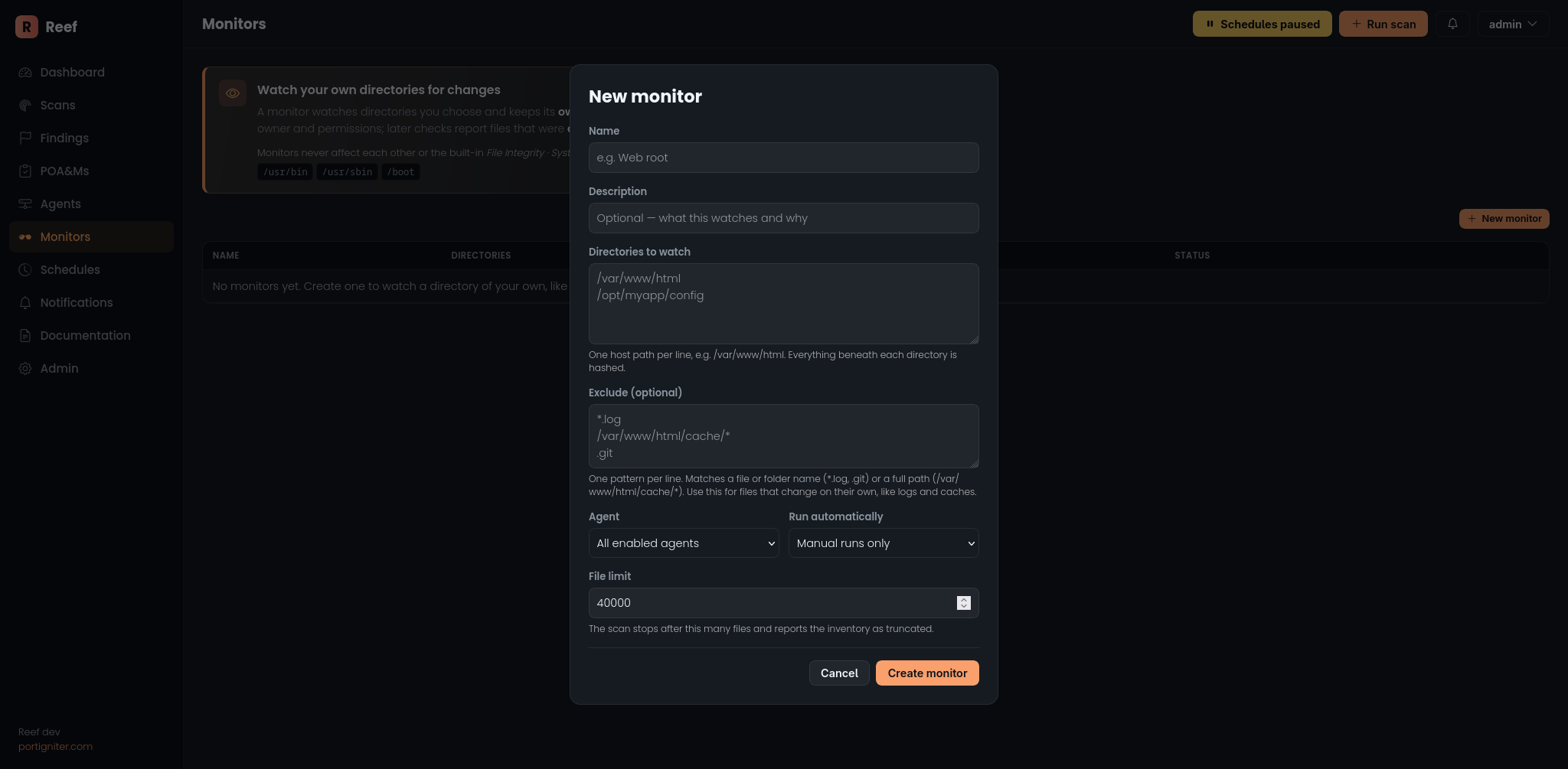
If you used my older product, Coral, this will feel familiar: custom monitoring is now part of Reef. You’ll find Monitors in the sidebar.
A monitor is a named set of directories you want Reef to keep an eye on. You build it entirely in the interface:
- Pick your directories. Up to 32 per monitor, on any path on the host.
- Exclude the noise. Add glob patterns like
*.log,.gitor/opt/app/cache/*, and Reef skips matching files and folders. - Choose where it runs. One specific agent, or every enabled agent in your inventory.
- Run it once or on a schedule. Run it by hand whenever you like, or set an interval (as often as every 15 minutes) and it shows up on the Schedules page automatically.
The first run records each file’s hash, owner and permissions as the baseline. Every check after that reports files that were added, changed or removed.
Monitors vs. the built-in File Integrity scan
The built-in File Integrity scan (now labelled File Integrity · System files) is still the go-to for standard Linux system monitoring. It’s locked to the core system directories so it works out of the box, with no setup and no expertise needed.
Monitors are for everything else: the paths unique to your servers. Think of
the uploads directory on a web server, where a new .php file is exactly the
kind of thing you want to hear about right away.
A Run Scan dialog that does the work for you
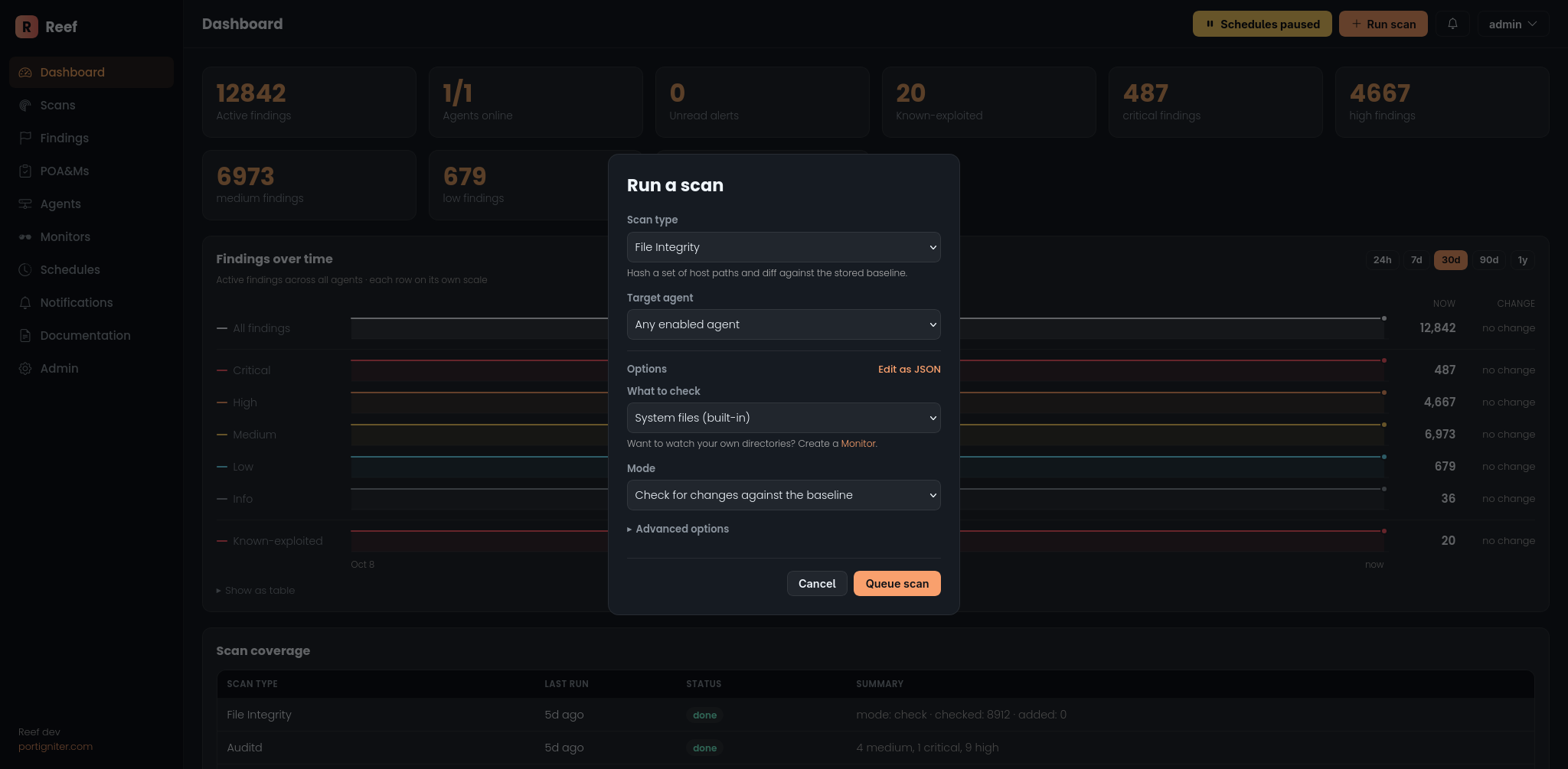
The Run Scan dialog got a much-needed overhaul. Instead of a blank JSON box, you now get a proper form that adapts to the scan you’ve selected:
- The options that matter up front. Common settings sit at the top, with clear labels.
- The rest under Advanced options. Time limits, file size caps, folder exclusions and more are there when you need them and out of the way when you don’t.
- Monitors built in. Pick File Integrity and choose what to check: the system files or any of your monitors.
Prefer JSON? Toggle Edit as JSON and it’s all still there. The form and the JSON stay in sync both ways, and any custom keys you add survive the round trip.
Also new: notifications you can search and clean up
Notifications are now a proper table. You can filter by level, search titles and messages, select items in bulk, or clear out anything older than a day, a week, a month or a year. Deleted notifications stay deleted: Reef won’t re-raise the same alert just because you cleared it.
You’ll also spot refreshed info callouts on pages like Monitors and POA&Ms, explaining what each page does and how to get started.
Getting it
Pull the new Reef and Reef agent images and restart. Update the agents too: exclude patterns for monitors are handled agent-side. Your existing File Integrity baselines and findings carry over untouched.
Immediately available
If you’ve been on the fence about Reef, now is a great time to give it a try. Every release adds more visibility into your systems with less effort on your part, and there’s plenty more on the way. Give it a shot and let me know what you think!
Standard Edition is available now: buy a Standard license.