
A finding is a single issue that a scan reported on a host, such as a vulnerable package, a failed compliance rule, or a changed system file. Every scan type produces findings in the same format, so you can triage them all the same way.
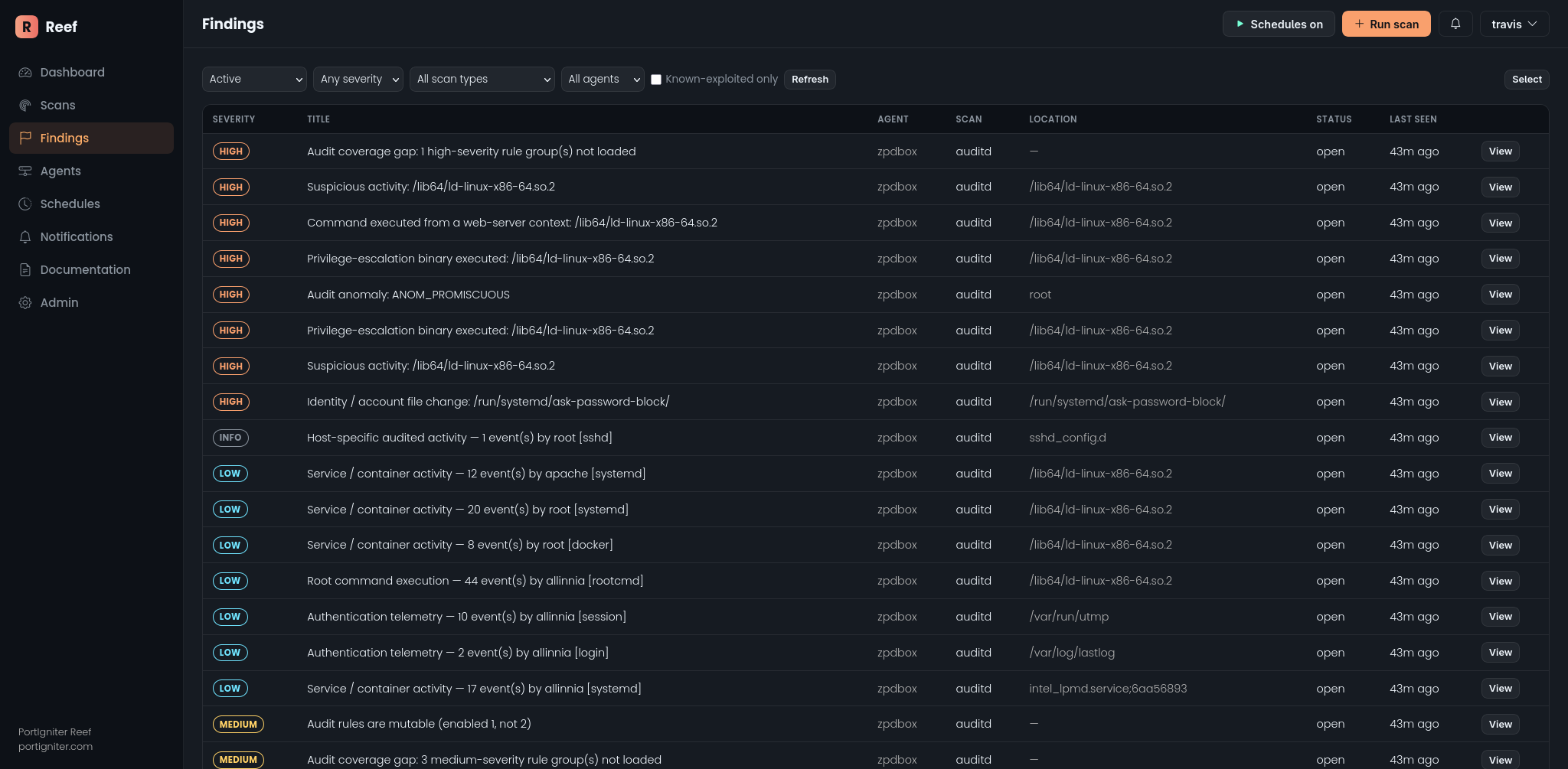
Finding statuses
| Status | Meaning | What happens on later scans |
|---|---|---|
| Open | New, and not yet reviewed. | Closes automatically as Resolved once the issue is gone. |
| Acknowledged | Reviewed and being worked on, such as an item tracked in a POA&M. | Closes automatically as Resolved once the issue is gone. |
| Resolved | Fixed, either confirmed by a later scan or marked by hand. | Returns to Open if the issue reappears. |
| Suppressed | Intentionally set aside, such as an accepted risk or a confirmed false positive. | Stays suppressed even if scans keep reporting it. |
Findings are tracked, not repeated
Reef recognizes the same issue on the same host across scans, so a problem that shows up every night stays as one finding rather than piling up duplicates. Each finding records when it was first and last seen.
- Fixed issues close themselves. When a complete scan no longer reports an issue, Reef marks it Resolved. You don’t have to close it by hand.
- Recurring issues reopen. If a resolved issue comes back, the same finding returns to Open, which keeps its history in one place.
Only a complete scan can close findings. If a scan was cut short or its results were trimmed (see Grype and YARA), Reef treats it as partial and leaves existing findings open.
Triage a single finding
Click any finding to open its details. There you will find the full description, the affected host and location, any reference links, and scan-specific context, such as the fix text for a compliance rule or the CISA KEV entry for a vulnerability. You can change the status from this view.
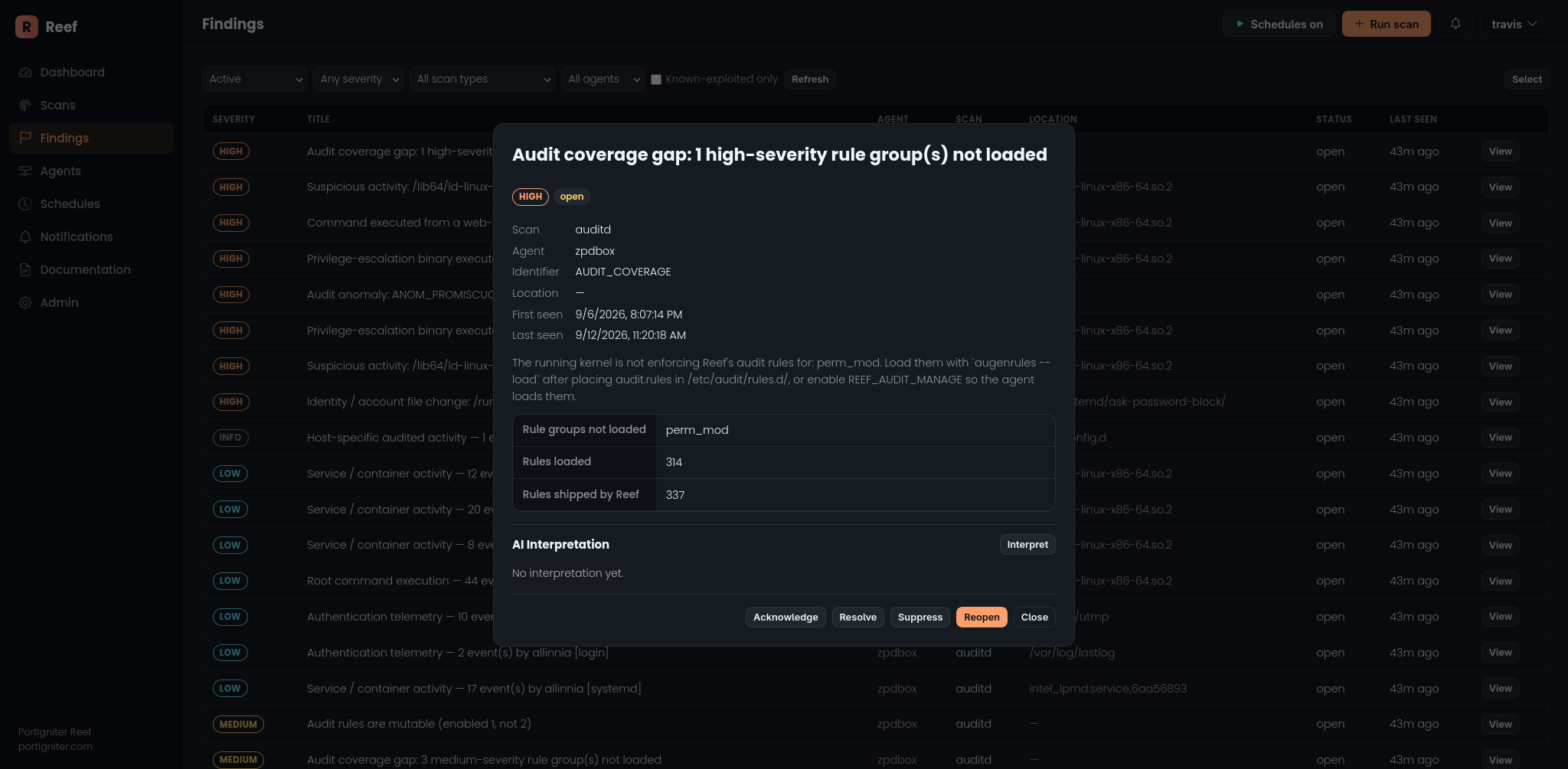
If the optional AI feature is enabled, an Interpret button provides a plain-language summary of the finding.
Triage in bulk
- On the Findings page, click Select at the top right of the filter bar. A checkbox column appears.
- Select the findings you want. Your selections are kept as you move between pages.
- Choose a status and click Apply.
Filtering
Filter findings by status, severity, scan type, and host. For vulnerability findings, you can also show only those on the CISA Known Exploited Vulnerabilities list, which is often the fastest way to see what needs attention first.
Related
- Notifications explains which findings raise alerts.
- Scans describes what each scan type reports.
- API Reference covers working with findings programmatically.