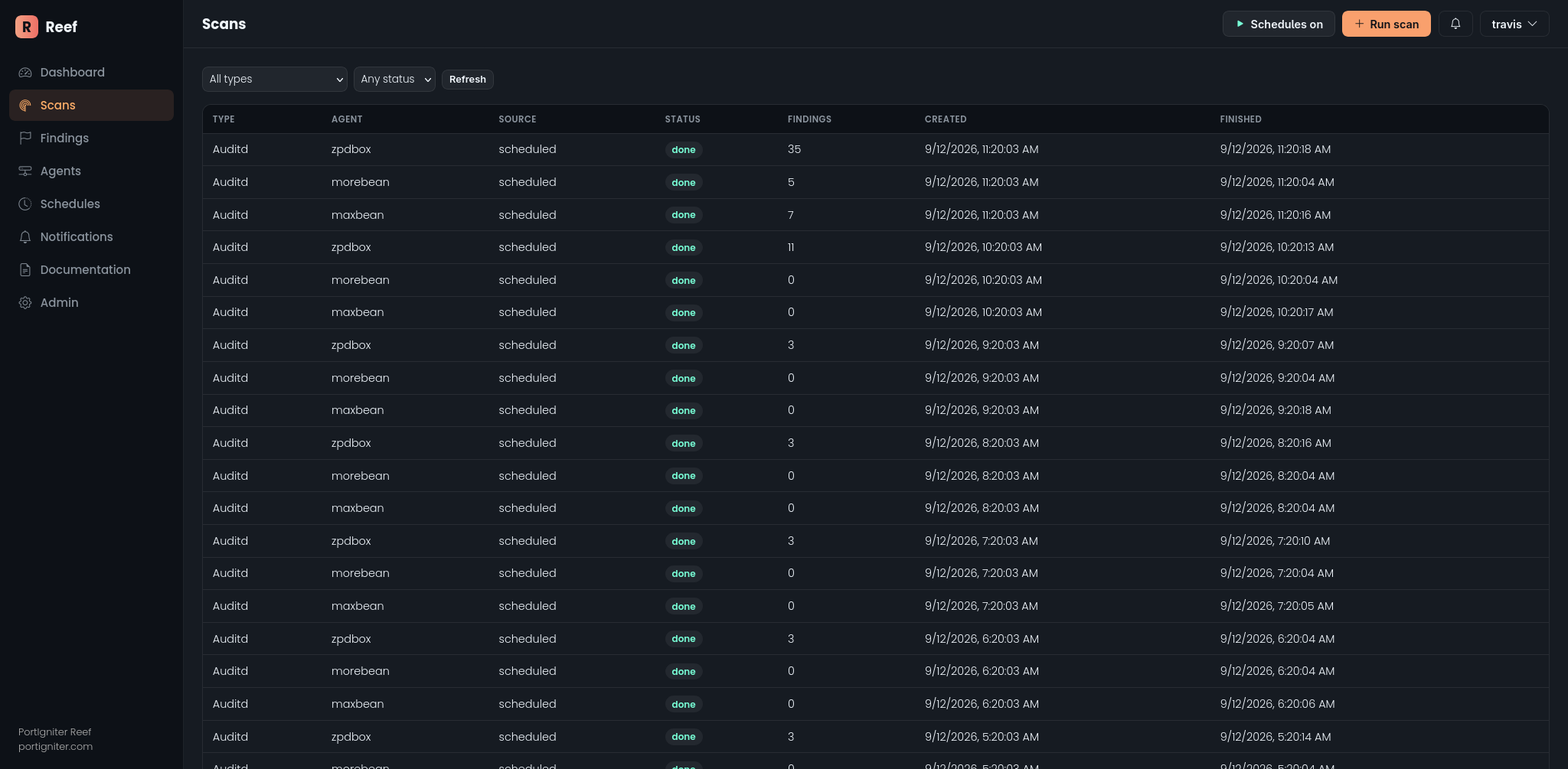
Reef runs seven scan types against each monitored host. Each one uses a different tool, but every result lands in the same findings list. As a result, triage, notifications, and filtering work the same way no matter which scan produced a finding.
The scans
| Scan | What it checks |
|---|---|
| File Integrity Monitoring | New, changed, or removed files compared with a known-good baseline |
| Auditd | Audit logging coverage, plus notable events such as privilege use and account changes |
| Lynis | General host hardening, with plain-language explanations |
| ClamAV | Signature-based malware detection |
| OpenSCAP | CIS, DISA STIG, PCI-DSS, and other compliance benchmarks |
| Grype | Known vulnerabilities (CVEs) in installed software, with CISA KEV flagging |
| YARA | Rule-based malware and indicator matching in files and process memory |
Supported security controls
Reef’s scans can help you produce continuous-monitoring evidence for the NIST SP 800-53 controls below. Reef supports these controls. It does not satisfy them on its own, so your assessor still needs to evaluate how each control is implemented in your environment.
| Scan | Supports |
|---|---|
| File Integrity Monitoring | SI-7 Software, Firmware, and Information Integrity; CM-3 Configuration Change Control |
| Auditd | AU-2 Event Logging; AU-6 Audit Record Review, Analysis, and Reporting; AU-12 Audit Record Generation |
| Lynis | CM-6 Configuration Settings; CM-7 Least Functionality |
| ClamAV | SI-3 Malicious Code Protection |
| OpenSCAP | CM-6 Configuration Settings; CA-2 Control Assessments; CA-7 Continuous Monitoring |
| Grype | RA-5 Vulnerability Monitoring and Scanning; SI-2 Flaw Remediation; CM-8 System Component Inventory |
| YARA | SI-3 Malicious Code Protection; SI-4 System Monitoring |
Grype’s CISA Known Exploited Vulnerabilities flagging also helps agencies prioritize remediation under BOD 22-01.
How a scan gets started
- On a schedule. Reef creates a default schedule for each scan type on first start. A schedule runs on every enabled agent unless you assign it to a specific one. You can edit, add, or remove schedules in the admin area at
/admin/scanning/scanschedule/. - On demand. Click Run scan in the toolbar. Manual scans run ahead of scheduled ones.
The play/pause button in the toolbar pauses all scheduled scans at once, which is useful during maintenance windows. Manual scans still run while schedules are paused.
Scan status
A scan moves through these states:
pending → claimed → running → done / failed
- Pending. Waiting for the agent to pick it up.
- Claimed / running. The agent has picked up the scan and is working on it.
- Done / failed. Finished. A failed scan’s detail page shows the reason.
- Expired. No results arrived within the time limit (6.5 hours by default).
- Canceled. An operator canceled it from the scans list, the scan’s detail page, or the admin area. A running scan stops on the agent’s next check-in, usually within 30 seconds, and any partial results are discarded.
Scan reports
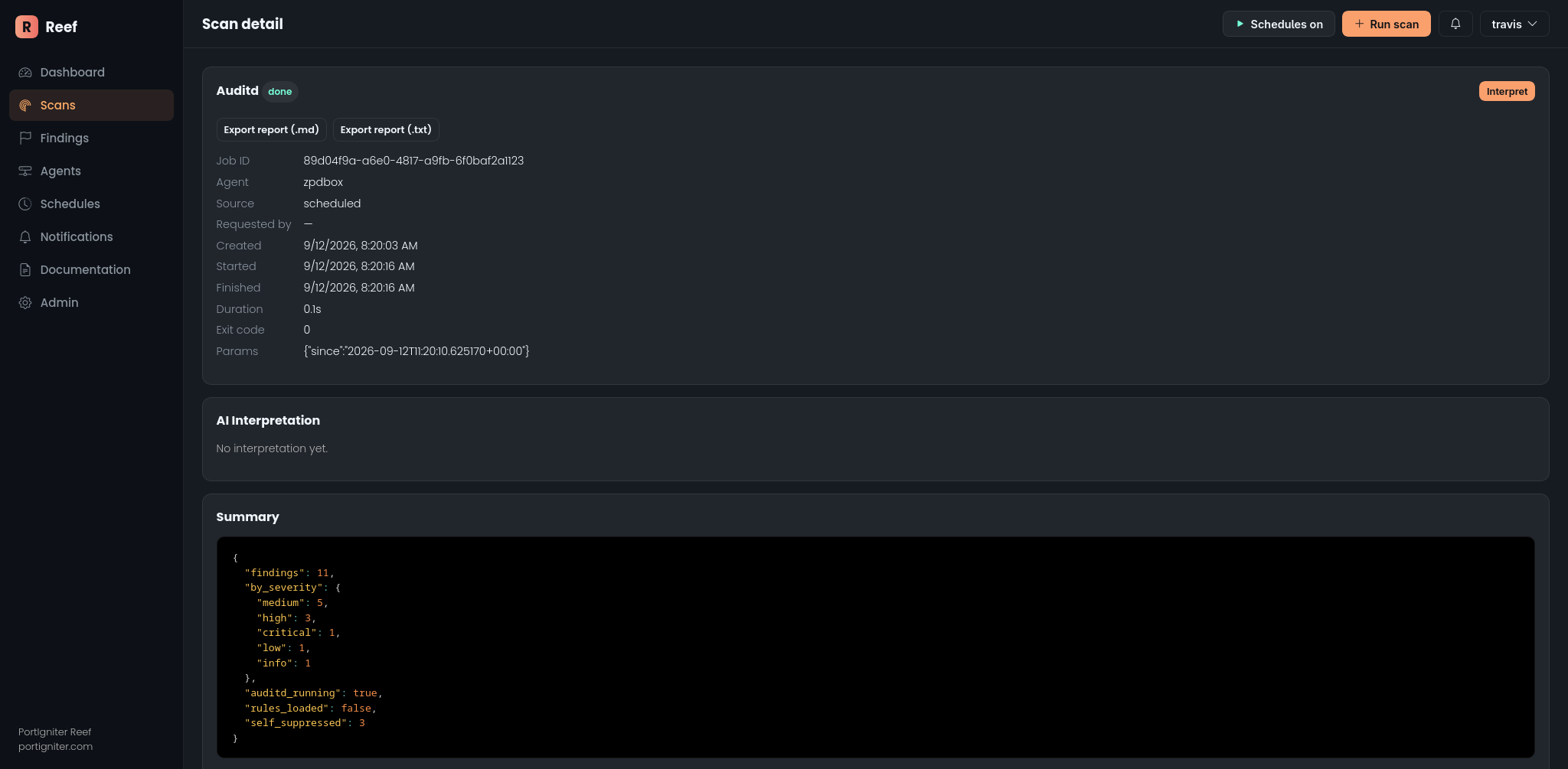
Each scan’s detail page shows who or what started the scan, when it ran, its summary, and its findings. From there you can:
- Export a report as Markdown (
.md) or plain text (.txt) to attach to tickets or assessment packages. - Download a STIG Viewer checklist (
.cklb) for OpenSCAP scans. See OpenSCAP. - Review the raw output from the scan tool.
- Interpret the results in plain language, if the optional AI feature is enabled.
Adjusting a scan
You can adjust a scan by adding options in the Params (JSON) field of the Run scan dialog, or in a schedule’s params in the admin area. For example, this runs ClamAV against a single directory:
{"paths": ["/var/www"]}
Each scan’s page lists the options it accepts. Every scan type also accepts timeout, in seconds. Reef ignores unrecognized options rather than rejecting them, so double-check the spelling of each key.
Default scan coverage
Scanning an entire filesystem can take hours on a real server. For that reason, most scans focus on the locations that matter most by default:
- File Integrity Monitoring: system configuration and binaries (
/etc,/bin,/sbin,/usr/bin,/usr/sbin,/boot) - ClamAV: writable, higher-risk directories (
/home,/root,/tmp,/var/tmp,/dev/shm,/opt,/srv,/var/www) - YARA: the same directories as ClamAV, plus
/etc - Grype: the whole host, skipping caches and build folders that don’t contain installed software
Each scan’s page explains how to widen or narrow its coverage.