
Port Igniter
Get Started

PortIgniter LMS

Documentation for PortIgniter LMS, a self-hosted learning platform for technical trainers: build courses, quiz learners, issue certificates, and sell access with Stripe.

Product Support

PortIgniter LMS is a self-hosted learning platform for people who teach technical skills. It gives you a drag-and-drop course builder, a quiz engine with real depth, verifiable certificates, and built-in Stripe sales, all running on your own server from a single Docker Compose file. It is built to get you from docker compose up to a published course in under 15 minutes, then stay out of your way.
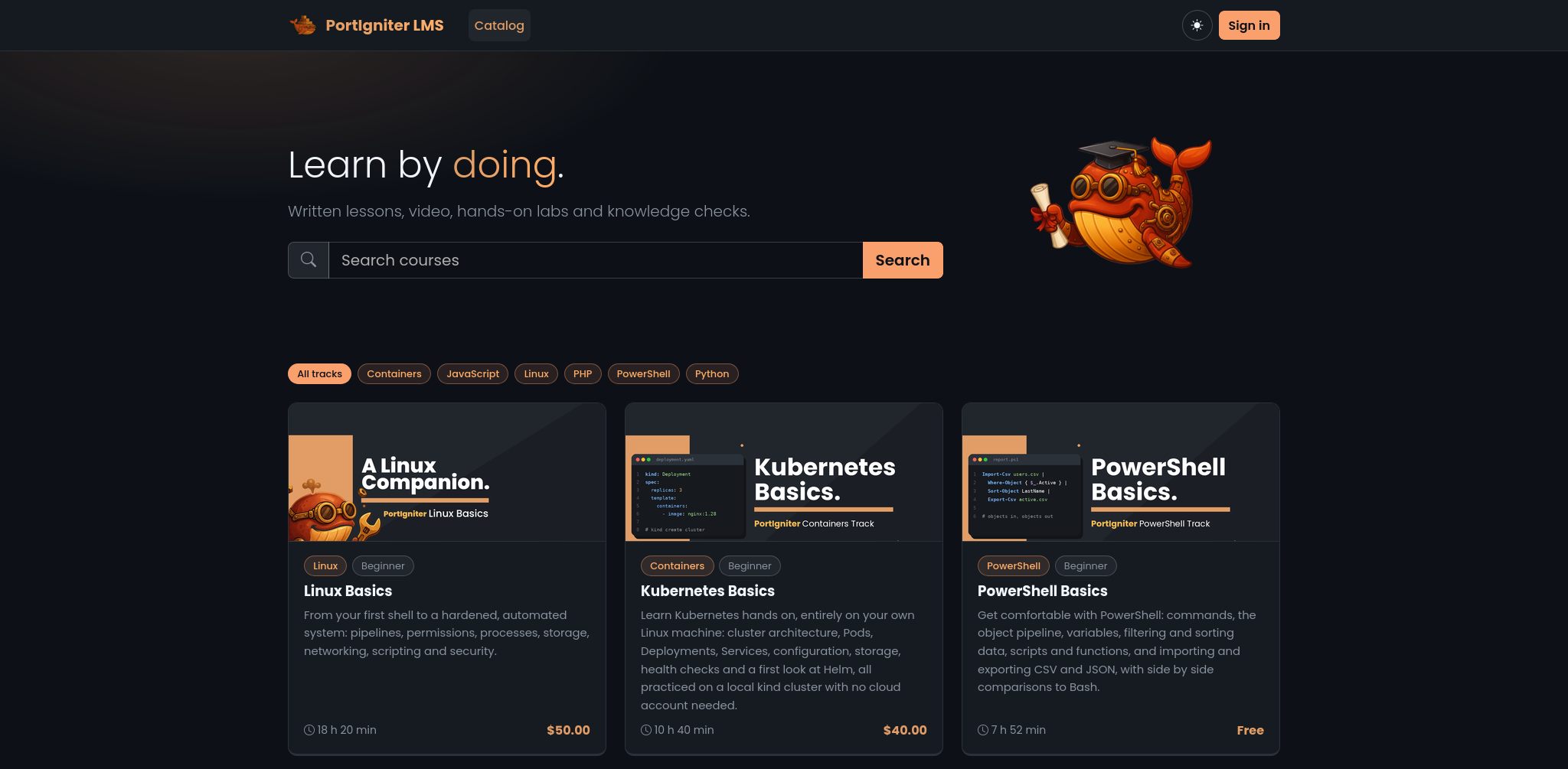
PortIgniter LMS course catalog front page

What PortIgniter LMS gives you

  • A course builder that writes real files. Lessons are built from blocks such as text, video, code, and lab steps. Every course is stored as plain JSON and Markdown files that you can export, import, keep in Git, or generate with an AI assistant.
  • Quizzes you can trust. Ten question types, question banks, random draws, partial credit, attempt limits, and timed exams on a server-side clock. Grading happens on the server, so answers never reach the browser.
  • Progression rules that hold. Let learners roam freely or require them to go in order, and gate modules behind quiz scores. The rules are enforced on the server, not just hidden in the interface.
  • Sales without a middleman. Sell individual courses and memberships through your own Stripe account, with promotion codes, scheduled sales, and automatic handling of refunds and disputes.
  • Certificates people can verify. A polished PDF with a unique ID and QR code linked to a public verification page.
  • Your brand, not ours. Light and dark themes, your logo and front-page image, and custom CSS or tracking snippets. Nothing is hardcoded.

How it fits together

PortIgniter LMS runs as a small stack of containers: nginx serves the site, php runs the application, a scheduler handles background work, and MariaDB stores accounts, enrollments, and progress. Course content lives as files on a Docker volume, and the database keeps an index of it. See How PortIgniter LMS Works for the details.

Three roles, no permission maze

Role What they can do
Learner Enrolls in courses, works through lessons, takes quizzes, hands in assignments, and earns certificates.
Instructor Everything a learner can do, plus every course and quiz tool: building, publishing, enrollment, reviews, and reports.
Administrator Everything an instructor can do, plus site settings, user management, memberships, sales, certificates, and backups.

See Users & Sign-In for more.

Where to start

  • New to PortIgniter LMS? Start with Getting Started to install it and sign in for the first time.
  • Ready to build? Building Courses walks through the builder, and Lessons & Media covers every block type.
  • Selling your courses? Selling Courses covers Stripe setup, memberships, and promotions.
  • Writing courses outside the builder? Course Files documents the course format and the courses:check validator.
  • Something not behaving? Check Troubleshooting.

Getting Started

Install PortIgniter LMS with Docker Compose, configure it, sign in, and create your first course.

How PortIgniter LMS Works

The containers that make up PortIgniter LMS, how courses are stored as files, where your data lives, and how learners' work and media are protected.

Building Courses

Create a course, organize it into modules and items, set access and progression rules, and publish it with the drag-and-drop course builder.

Lessons & Media

Build lessons from text, video, audio, images, code, callouts, downloads, embeds, and hands-on lab steps, and choose how each lesson is completed.

Quizzes

Build quizzes and timed tests from question banks, choose from ten question types, control attempts and feedback, and grade essays by hand.

Assignments & Reviews

Collect written answers, files, links, or self-check confirmations from learners, and review them alongside quiz essays in one queue.

Enrollment & Access

The ways learners get into a course, from self-enrollment and invitation keys to adding people by email or CSV, and how to pause, extend, or end access.

Selling Courses

Connect your Stripe account, sell individual courses and memberships, accept promotion codes, run scheduled sales, and track revenue in Admin > Sales.

Certificates

Issue PDF certificates of completion with a unique ID and QR code, design them to match your brand, and let anyone verify them on a public page.

Reports & Analytics

Course and learner progress reports, quiz analytics with per-question breakdowns, and end-of-course ratings and feedback, all exportable as CSV.

Users & Sign-In

Roles, managing users, how accounts are created and verified, profiles, two-step sign-in, and single sign-on.

Site Settings

Brand your site with a name, logo, and front-page image, control registration and promotion codes, and add custom CSS or tracking snippets.

Course Files

The plain-file course format behind every course: export and import zips, write courses by hand or with an AI assistant, and validate them with courses:check.

Backups & Upgrades

Make, schedule, download, and restore backups of your database and files, and upgrade PortIgniter LMS to a new release.

Management Commands

Command-line tools for backups, restores, checking and reindexing courses, creating an administrator, and gathering system information.

Troubleshooting

Common problems, such as unstyled pages, sign-ins that won't stick, missing emails, payments that don't grant access, and failed uploads, and how to fix them.

Roadmap

What's planned for future PortIgniter LMS releases.

Top