
Administrators manage the whole site from Admin > Settings. The header of the page also shows the version of PortIgniter LMS you’re running and when it was built, which is useful when asking for help.
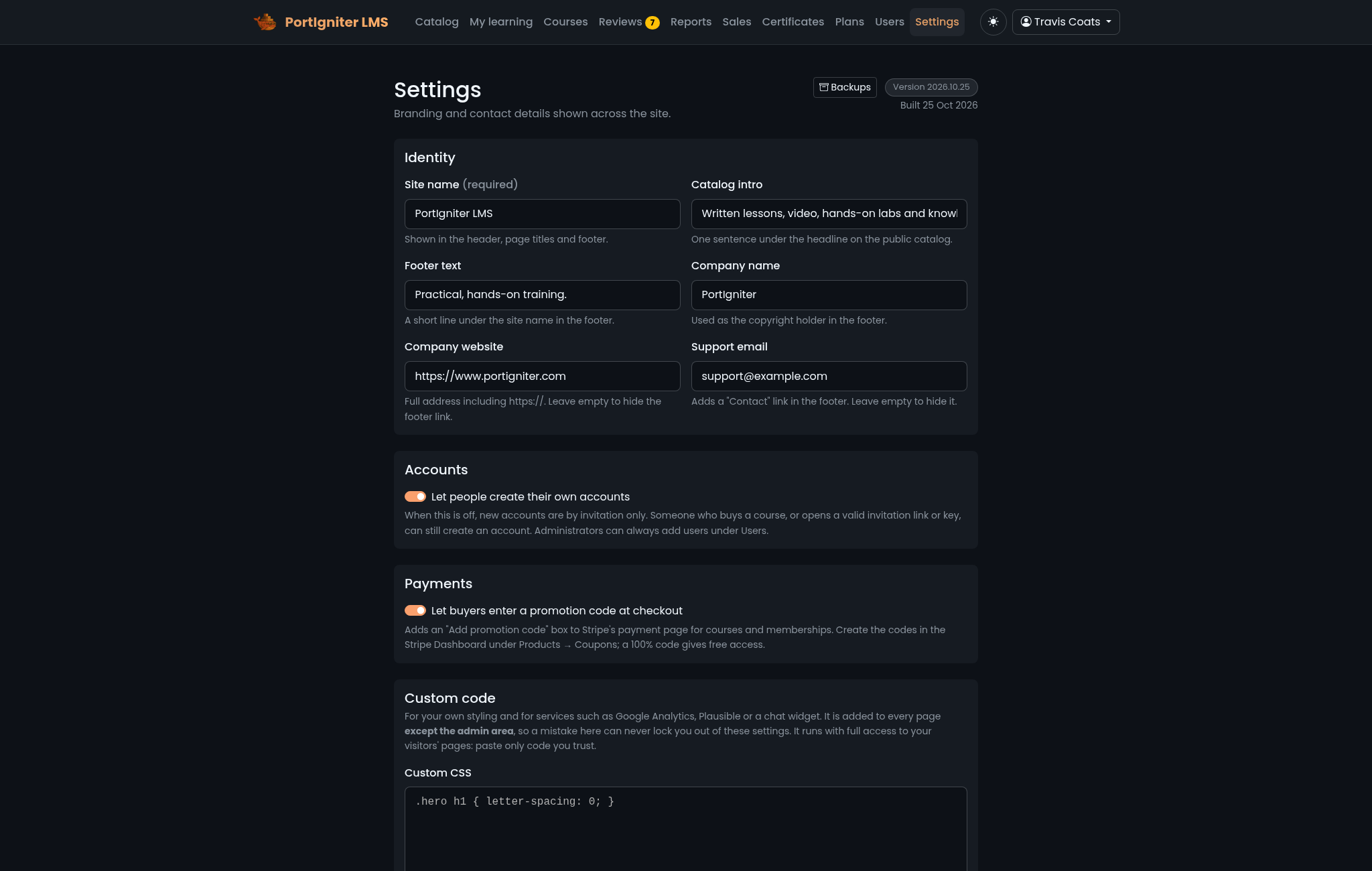
Values you save here override the matching lms.* defaults in .env. See Site defaults.
Identity
| Setting | Where it appears |
|---|---|
| Site name | The header, page titles, and emails. Required, up to 60 characters. |
| Catalog intro | The headline text on the front page. |
| Footer text | The site footer. |
| Company name | The footer, emails, and certificates. |
| Company website | A link in the footer. |
| Support email | Email footers, and the contact for learners who need their certificate name corrected. |
Accounts
Let people create their own accounts is on by default. When it’s off, new accounts are by invitation only. Someone who buys a course, or opens a valid invitation link or key, can still create an account, and administrators can always add users. See Users & Sign-In.
Payments
Let buyers enter a promotion code at checkout adds a code box to Stripe’s payment page for courses and memberships. See Promotion codes.
Logo and front-page image
- Logo appears in the header and in emails. Upload a PNG, JPEG, or WebP image, or remove yours to go back to the default logo.
- Front-page image appears beside the headline on the catalog page on wider screens. Without one, the catalog shows no image.
Both accept images up to 512 KB (lms.logoMaxKb) and 2048 × 2048 pixels.
Light and dark themes
PortIgniter LMS has a true dark mode and a carefully tuned light mode. Dark is the default, and visitors can switch with the theme button in the header. Their choice is remembered in their browser.
Custom code
Use Custom code to add your own touches without changing the application:
| Setting | What it’s for |
|---|---|
| Custom CSS | Styles added after the built-in stylesheets, so they win. Use it to adjust colors, spacing, or fonts. |
| Custom code for the page head | HTML added at the end of <head>, such as an analytics or tracking snippet. |
| Custom code for the end of the page | HTML added after the page’s own scripts, such as a chat widget. |
Each field holds up to 20,000 characters. Custom code is added to every page except the admin area, so a broken snippet can never lock you out of Settings.
Email appearance
Every email PortIgniter LMS sends uses a branded layout with your logo, site name, and footer details from this page, along with a plain-text version for mail clients that prefer it. Mail clients that support dark mode show a dark version automatically.
Email delivery itself is set up in .env. See Email.
Backups
The Backups link at the top of Settings opens Admin > Backups. See Backups & Upgrades.